
What is ransomware and how to defend against it
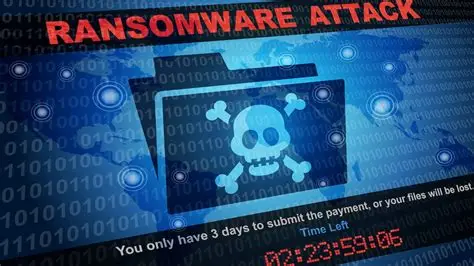
Imagine showing up on a Monday morning, turning on your work computer, and finding a black screen with a message saying all your files have been encrypted — and that you need to pay a ransom in Bitcoin to get them back. Sounds like a movie scene, right? But this happens every single day, to companies of all sizes and to regular people too.
That’s ransomware, and it’s one of the most devastating cybersecurity threats out there today.
What exactly is ransomware?
Ransomware is a type of malware — malicious software — that hijacks your files. When it gets into a system, it encrypts everything: documents, photos, spreadsheets, databases. Without the decryption key, those files become completely inaccessible. The criminals then demand a payment — the “ransom” — in exchange for restoring access.
In 2023 and 2024, ransomware attacks cost billions of dollars globally. Hospitals lost access to patient records. City governments lost years of data. Entire companies had to shut down temporarily.
How does ransomware get in?
The most common entry points are phishing emails with malicious attachments, fake links that look legitimate, pirated software downloads, and vulnerabilities in outdated systems. In corporate environments, a single careless click by one employee can compromise the entire company network.
There are also more sophisticated attacks where criminals silently infiltrate a network, spend weeks mapping the environment, and only activate the ransomware once they have access to everything — maximizing the damage.
How to defend yourself in practice
The first line of defense is backups. There’s no way around it: if you have recent, properly stored backups, ransomware loses most of its power. But pay attention — backups need to be offline or in a location separate from the main network, because many ransomware strains also attack connected backups.
Keep everything updated. Most attacks exploit vulnerabilities in outdated systems and software. Windows, Mac, apps, antivirus — everything should be on the latest version.
Be suspicious of emails. If you received an attachment you weren’t expecting, even if it appears to come from someone you know, verify before opening it. Email accounts are frequently compromised and used to spread malware to contacts.
Use good security software. Modern antivirus and endpoint protection solutions can detect suspicious behavior — like a mass encryption of files — and stop the process before the damage becomes total.
If I get attacked, should I pay the ransom?
Security authorities around the world recommend against it. Paying funds the criminals, encourages more attacks, and honestly doesn’t guarantee you’ll actually get your files back. Many victims pay and never receive the decryption key.
The answer is always prevention. No defense is 100% foolproof, but good practices dramatically reduce the risk of you ever facing that terrifying ransom screen.